


In this article, I will review the best TraderSync competitors for multi-account replay that help traders manage multiple trading accounts, review historical trades, and analyze overall performance. The right trading journal is also essential to track executions, spot mistakes and evaluate strategies across multiple accounts. I’ll compare popular alternatives based on their key features, replay capabilities, broker integrations, performance analytics, and reporting tools to help you find a suitable platform for your trading needs.
What Are TraderSync Competitors for Multi-Account Replay?
Better Multi-Account Management: Traders need alternatives that simplify managing multiple brokerage and prop-firm accounts, organize trading activity, and provide centralized visibility into individual and combined account performance.
Advanced Trade Replay: Alternative platforms offer different replay capabilities, allowing traders to revisit historical market movements, examine execution decisions, and understand how specific trading strategies performed under past conditions.
Flexible Broker Integrations: Traders may require software supporting their preferred brokers and trading platforms to automate trade imports, reduce manual data entry, and maintain accurate trading records.
Detailed Performance Analytics: Advanced analytics help traders evaluate win rates, profitability, drawdowns, risk-reward ratios, and execution patterns to identify weaknesses and improve overall trading performance.
Improved Strategy Evaluation: Alternative journals allow traders to categorize trades by setup, instrument, and strategy, making it easier to identify profitable approaches and eliminate consistently underperforming methods.
Prop-Firm Account Tracking: Traders managing multiple funded accounts need tools that organize account activity, monitor trading results, and compare performance across different prop-firm accounts.
Flexible Pricing Options: Different trading journals offer various subscription plans and feature packages, helping traders find suitable solutions based on their budgets, account requirements, and analytical needs.
Better Reporting and Organization: Traders benefit from customizable dashboards, historical reports, and consolidated trading records that simplify performance reviews and support more informed trading decisions.
Why Do Traders Need TraderSync Alternatives?
Trading Journal Software: They allow traders to record, track and analyze trades made on multiple brokerage accounts, providing consolidated trading records and performance histories.
Multi-Account Management: Enables traders to monitor multiple trading accounts, manage transactions and analyze individual and collective performance from one dashboard.
Historical Trade Replay: Traders can replay historical market movements and analyze their entries, exits, and execution decisions using the historical chart data.
Broker Integrations: These tools can connect to supported brokers and trading platforms allowing for automatic trade imports, account syncing, and more organized trading records.
Performance Analytics: Advanced reporting enables traders to analyze win rates, profit and loss, drawdowns, risk-reward ratios, and overall trading performance across different accounts.
Trade Execution Review: Traders can use chart-based reviews and replay tools to review entry timing, exit decisions, execution quality and areas for improvement in their trading discipline.
Reporting at the Account Level They provide individual and consolidated performance reports. This enables traders to compare account results, track profitability and evaluate consistency among different trading accounts.
Key Points
1. TradeZella – Offers trade replay, backtesting, broker integrations, and multi-account management, making it a strong option for active day traders and prop-firm traders.
2. TradesViz – Combines advanced trading analytics, multiple-account tracking, trade replay, backtesting, and customizable dashboards for traders managing different strategies.
3. Tradervue – Provides detailed trading journals, performance reports, trade analysis, and broker imports for traders reviewing activity across their trading accounts.
4. Edgewonk – Focuses on trading psychology, performance analysis, strategy evaluation, and discipline tracking, helping traders identify mistakes across their trading activity.
5. Trademetria – Supports multi-account trade tracking, performance analytics, trading journals, and portfolio reporting for traders managing multiple brokers and strategies.
6. TradingDiary Pro – Provides trade journaling, portfolio tracking, historical performance analysis, and reporting tools for traders who prefer detailed account-level records.
7. Kinfo – Offers broker-connected trading performance tracking, verified statistics, portfolio monitoring, and shareable performance reports for individual traders.
8. StonkJournal – Provides trading journals, performance dashboards, trade notes, and risk-management tracking for traders seeking a simpler alternative.
9. Chartlog – Focuses on trade journaling, chart-based trade reviews, performance statistics, and visual analysis to help traders improve their decision-making.
10. TradeReview – Offers trade journaling, performance tracking, analytics, and structured trade reviews for traders seeking an alternative to traditional trading journals.
1. TradeZella
TradeZella is an AI-powered trading journal combining journaling, analytics, backtesting, replay, and prop-firm tracking. It supports multiple accounts, with plan limits ranging from one account on Essential to 50 on Pro and unlimited on Ultra. Pricing is about $35, $59, and $99 monthly, or $26, $44, and $74 monthly when billed annually.

It auto-syncs trades from 500+ brokers and prop firms, including Interactive Brokers, Webull, Schwab, MetaTrader, NinjaTrader, and crypto venues. Trade Replay offers second-by-second playback, entry/exit markers, adjustable speeds, and multi-timeframe review. Its analytics include 50+ reports across seven dashboards, plus automated tagging, trade review, strategy tracking, and account-level performance reporting.
Main features
- Automatic trade journaling with broker sync and trade imports.
- Trade Replay allows you to replay the historical charts with the ability to change speed.
- Multiple account management with aggregated trading stats.
- Backtesting tools to test historical performance and trading strategies.
- AI-powered insights, reports on performance and strategy monitoring.
Best Case
- Day traders review past trades with visual replay.
- Prop traders who have several funded accounts.
- Traders comparing strategies using backtesting and performance reports.
- Active traders who want automated journaling and in-depth trading analytics.
2. TradesViz
TradesViz is a highly customizable, multi-asset trading journal with extensive analytics, import flexibility, simulation, and replay tools. It supports multiple broker accounts—up to 20+ connections—while allowing combined or account-specific analysis, multi-currency and timezone handling. Its free stock-journal plan is ongoing, while paid tiers begin around $13.99–$19.99 monthly, with higher plans adding simulators and advanced features.

It supports 250+ brokers/platforms and 70+ auto-sync connections, plus CSV, manual, Google Drive, FTP, and API workflows. Trade Replay runs journaled trades second by second on TradingView charts, showing real fills and synchronized multi-chart, multi-timeframe playback. Analytics include 400+ visualizations, 90 trade data points, pivot/grid charting, exit insights, prop-firm compliance, and detailed account reporting.
Features
- Comprehensive trade analytics with complete performance statistics.
- Track multiple accounts and import broker trades.
- Replay trades second by second with synchronized multi-chart analysis.
- Automated backtest and trade simulation tools.- Custom dashboards, AI-powered insights and detailed performance visualizations.
Best Use Case Scenario
- Traders reviewing executions from various trading accounts
- Day traders reviewing entries, exits and executions.
- Options traders who analyze complex trading strategies.
- Quantitative Trader backtesting and performance statistics.
3. Tradervue
Tradervue is a long-established, straightforward trading journal focused on trade logging, broker imports, analytics, risk tracking, and sharing. It supports unlimited trading accounts on its top plan, making it suitable for traders operating several brokerages or strategies. Pricing includes a free tier with 80+ broker connections; paid plans add advanced reporting, broker sync, and trade-exit performance analysis, with a listed $49.95 tier.

It integrates with major trading platforms and also accepts Excel, text, and manual imports when direct integration is unavailable. Market Replay lets traders review market conditions around entries and exits, adding context to each trade. Its reporting covers wins, losses, risk metrics, position exposure, and performance patterns; firms can also manage groups and consolidated user reporting
Main Features
- Automatic import of trades from brokers that are supported.
- Detailed trading journals with notes, tags and comments on trades.
- Performance reports on profitability and trading behavior.
- Trade analysis with entry, exit and execution breakdowns.
- Collaboration features and trade sharing for mentors and trading groups.
Ideal use case
- Stock traders who keep detailed trading journals.
- Active traders looking at past trading performance.
- Mentors review and discuss student trading activity.
- Traders seeing repeating mistakes in their performance reports.
4. Edgewonk
Edgewonk is a behavior-focused trading journal designed to improve discipline, consistency, and trade management rather than simply display statistics. It supports multiple trading accounts in one workspace while keeping each account’s data separated for clean reporting, and it handles accounts in different currencies. Its pricing is approximately $197 annually, or about $16 monthly equivalent, though plans and promotions can vary.
It supports 200+ brokers and platforms, with automated syncing for Interactive Brokers, cTrader, and OANDA; other brokers can generally be imported through supported file workflows. Edgewonk does not offer tick-by-tick trade replay, so review is primarily through journal notes, trade comments, and performance analysis. Its strengths include trade-management optimization, customizable statistics, emotional/discipline tracking, and account-level performance reporting
Features:
- Advanced trading journal with user-defined trade tagging.
- Analysis of trading psychology and behavioral tracking.
- Tiltmeter to monitor emotional trading and rule breaking.
- Evaluation of strategy and setup performance.- In-depth statistics on risk, profitability, and trading discipline.
Best Use Case
- Discretionary traders enhancing trading discipline.
- – Forex traders who monitor emotional trading patterns.
- Traders seeing the same behavioral mistakes keep occurring.
- Traders with experience in judging the consistency of strategy and the quality of execution.
5. Trademetria
Trademetria is a portfolio-and-trading journal platform that combines trade tracking, performance analytics, risk monitoring, and journaling. It supports multiple accounts, with the Pro plan allowing up to 50 accounts and unlimited open positions; the Basic plan supports one account. Pricing is $19.95 monthly for Basic and $29.95 monthly for Pro, with annual discounts of roughly $169 and $249 respectively; a free entry option permits limited imports and tracking.
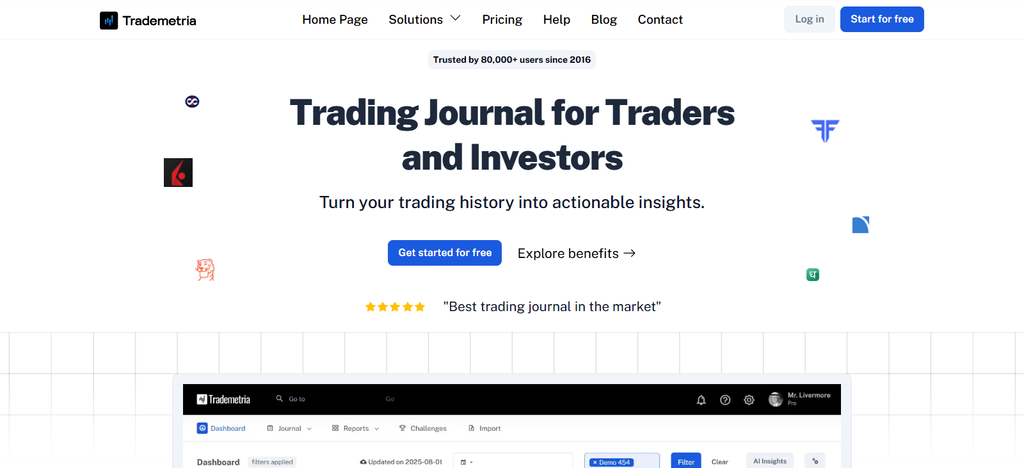
It offers API auto-sync, broker-file imports, CSV templates, and manual entry, with compatibility listed across 140+ brokers and platforms—and broader compatibility claims across 1,500+ platforms worldwide. Trade replay does not appear to be a core feature, so review relies on journal entries and analytics. Reporting includes trade journals, risk, performance, portfolio consolidation, searchable notes, image storage, and account-level analysis
Main Features
- Portfolio tracking & Multi-account trade journal.
- Manual trade import and broker integration options.
- Performance analytics for profit, loss and trading statistics.
- Trade tagging and filtering to evaluate strategy.
- Reports custom-designed to review trading activity and account performance.
Ideal Use Case
- Traders who operate across multiple brokerage accounts.
- Investors watch stocks, options, futures and forex trades.
- Performance comparison of various strategies by traders.
- Traders who want to keep their budgets and require centralized trading records and analytics.
6. TradingDiary Pro
TradingDiary Pro is desktop-oriented journal and portfolio-analysis software for stocks, options, futures, forex, CFDs, bonds, and related instruments. It supports multiple broker accounts and consolidates imported trades into positions, strategies, and reports; option legs can be grouped into strategies automatically. Its pricing model is distinctive: a $149 one-time license includes one year of upgrades, with optional $49 yearly upgrade renewal rather than a mandatory subscription.
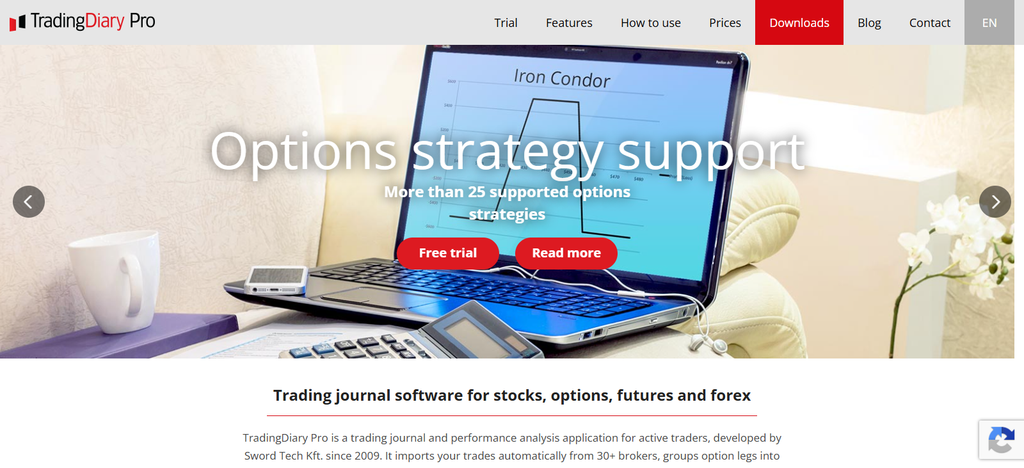
It imports from 30+ brokers, including Interactive Brokers, Schwab, thinkorswim, Tastytrade, TradeStation, NinjaTrader, MetaTrader 4, OANDA, and Degiro, plus CSV imports. Trade replay is not a central advertised feature; its value is stronger in recordkeeping and analysis. It provides journal, risk, performance, net-asset-value, and country-specific tax reporting, making it particularly useful for serious portfolio and tax-oriented traders.
Features
- Desktop trading journal and portfolio management.
- Import trade and recording of manual transactions.
- Analyze past performance and report on it.
- Categorize and filter trades to evaluate strategies.
- Track your portfolio with detailed profit and loss calculations.
Ideal Use Case
- Traders who like desktop based trading journal software.
- Investors keeping a full record of past trading.
- Multi-market traders who structure trades across asset classes;
- Traders needing portfolio-level performance analysis and reporting.
7. Kinfo
Kinfo is a broker-connected, social trading journal that emphasizes verified performance data, community visibility, and straightforward analytics. It supports multiple connected broker accounts, with performance calculated from actual transactions and holdings rather than manually entered results.
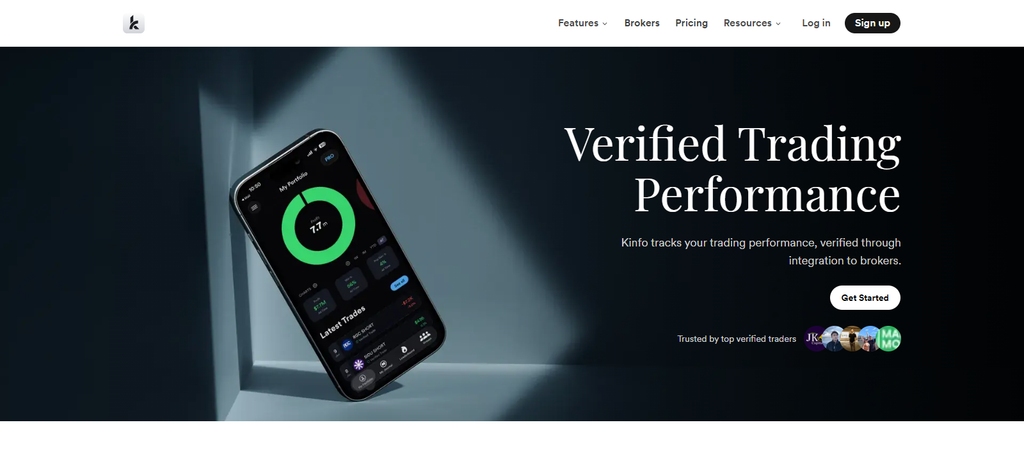
Pricing includes a free forever plan with broker auto-sync and basic analytics, a $24.90 monthly Pro plan with full history and advanced reports, and a $44.90 Pro+ plan adding spread detection, Excel/Google Sheets integration, and trade privacy options. It integrates with popular U.S. brokers and platforms such as E*TRADE, Tradier, TradeStation, Alpaca, NinjaTrader/Tradovate, and MT5-based accounts.
Trade replay is not a primary Kinfo feature; its review workflow centers on broker-verified fills, notes, tags, and performance breakdowns. Reporting covers win rate, P&L, hold time, sessions, symbols, setups, fees, drawdowns, and account-level statistics
Characteristics
- Broker linked trading performance tracking.
- Automatically sync trade and portfolio data from supported brokers.
- Portfolio tracking and performance indicators.
- Showing of trading history and account results.
- Comparison of trader performance and shareable performance reports.
Best Use Case
- Traders looking back at past portfolio performance.
- Broker-tied portfolios are watched by stock traders.
- Traders’ performance is tracked by investors on the accounts they support.
- Traders sharing proven performance information with others.
8. StonkJournal
StonkJournal is a modern, lightweight trading journal built around quantified trade reviews, risk rules, calendar patterns, multi-account workflows, and AI-assisted analysis. It supports multiple accounts and includes an all-accounts roll-up, allowing traders to view combined results or drill into individual accounts. Its free tier includes unlimited manual logging, accounts, core statistics, calendar tools, filters, setups, risk rules, sharing links, and offline-first web access.
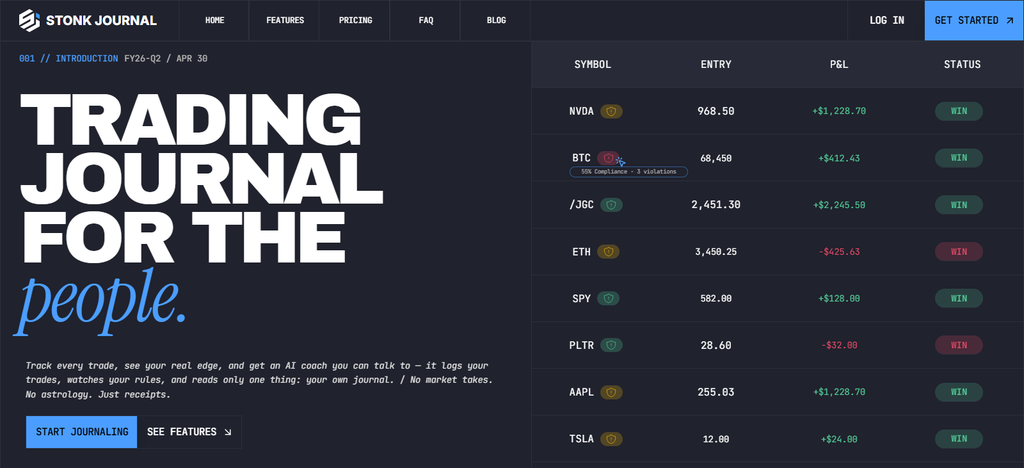
The Pro plan costs $10 monthly and adds CSV trade import, AI Coach, AI Chat, and the all-accounts roll-up. Broker connectivity is primarily through supported broker exports or custom-format uploads, with mapping review before history enters the journal; it is less automation-heavy than API-first platforms. It does not appear to offer a dedicated chart-based trade replay, instead emphasizing structured reviews, verified imports, risk discipline, and account-level reporting.
Key Features
- Trading statistics and performance dashboards.
- Manual trade entry trading journal.
- Trade notes and a customizable trading journal.
- Trade classification to examine strategies and setups.
- Account management and historical performance tracking.
Ideal Use Case
- New traders to the game and developing regular journaling habits.
- Traders recording trades without the need for complex broker integrations.
- Stock traders looking at past trading decisions.
- Budget-conscious traders who want to easily track performance.
9. Chartlog
Chartlog is a chart-first trading journal aimed at traders who want to connect trade records directly to visual market context. It supports multiple accounts and lets users organize trades by account, strategy, setup, and market, though account limits and integrations should be checked on its current pricing page. Its pricing is generally subscription-based, with tiers designed around journaling, charting, screenshots, and analytics rather than a one-time license.

Broker integration varies by market and plan; traders can import trades through supported connections or upload/import trade data, with manual entry available for unsupported brokers. Its replay functionality is chart-oriented, allowing traders to review price action and annotate trades rather than relying only on numeric reports. Analytics cover win rate, expectancy, R-multiples, tags, setups, time-based performance, and account-level reporting, making it appealing to visual traders
Highlights
- Trade documentation and trading journal focused on charts.
- Chart screenshots in visual trade reviews.
- Trading notes and tags to organize your trades.
- Statistics of performance for trades results.
- Historical trade records for review of execution decisions.
Best Use Case Scenario
- Technical traders look at charts to make trading decisions.
- Day traders have visual entries and exits.
- Traders setting up and trading patterns.
- Traders evaluating execution quality based on historical chart reviews.
10. TradeReview
TradeReview is a trading-journal platform focused on structured trade documentation, performance review, and accountability. It supports multiple trading accounts, allowing traders to separate live, demo, prop, and strategy-specific results while still reviewing overall performance. Pricing is typically subscription-based, with plans differing by trade volume, analytics depth, integrations, and collaboration features; confirm the current tiers before purchase.

Broker integration is available through supported broker connections and file imports, while manual entry remains an option for brokers without direct sync. Trade replay may be limited or unavailable depending on the plan and market, so its main review method is trade notes, screenshots, tags, and post-trade analysis. Performance analytics include P&L, win rate, risk-reward, drawdown, streaks, setup performance, and account-level reports, helping traders identify repeating strengths and weaknesses
Main Features**
- Digital Trading Journal to record and review your trades.
- Tracking trade performance and analytical reporting.
- Trade notes and categorization to organize the trading activity.
- Historical performance reviews to identify trading patterns.
- Dashboards for monitoring trading performance.
Best Use Case
- Traders who require structured trade documentation.
- Individual traders are looking for consistency in trading.
- Traders thinking about past choices and performance.
- Traders making a record of their trades to review the efficacy of their strategy as it develops.
Conclusion
How to Choose the Best TraderSync Alternative for Multi-Account Replay Choose the right TraderSync alternative for multi-account replay based on your trading style, account needs and analytical requirements. TradeZella and TradesViz are worth mentioning for traders looking for trade replay, backtesting and advanced performance analysis.
Other useful alternatives for trade journaling, strategy evaluation and reporting are Tradervue, Edgewonk and Trademetria. Other ways to organize your trading activity and review performance are TradingDiary Pro, Kinfo, StonkJournal, Chartlog, and TradeReview. Evaluate the broker integrations, maximum accounts, availability of available replays, report generation and subscription fees to select a platform that can serve your trading workflow well.
FAQ
TradeZella and TradesViz are strong alternatives for traders seeking historical trade replay, multi-account tracking, backtesting, and advanced performance analytics.
TradesViz, TradeZella, Trademetria, and other trading journal platforms offer account management capabilities. However, supported account numbers and integrations vary by platform and subscription.
TradeZella and TradesViz are notable options for historical trade replay, allowing traders to review previous executions and analyze trading decisions using historical market data.
TradeZella offers trade replay, backtesting, and multi-account management. The better choice depends on broker compatibility, replay requirements, account limits, and preferred analytical features.
